Mailboxes: send cold email from the addresses you already own
Connect Gmail, Microsoft 365 or any SMTP mailbox. Coldoutbound sends through your own accounts at a slow pace and reads the replies. No charge per mailbox.
Coldoutbound sends cold email through mailboxes you already own, so it comes from your real address and replies land in your own inbox. Connect Gmail, Microsoft 365 or anything with SMTP and IMAP. You can connect as many as you need, and there's no charge per mailbox.
Why your own mailboxes matter
Think of an assistant who writes from your own email account, rather than a mailing house posting letters for you. Each email goes out through your email provider, the same way as one you write by hand. A reply comes back to your inbox, so the conversation stays yours even if you stop using Coldoutbound.
It also means your sending record belongs to you. Inboxes judge your address and domain by what they have seen from them, which is why a new mailbox has to start slowly.
How many cold email mailboxes you need
One mailbox on the default limit of 20 a day sends about 100 emails a week. To send 500 a week, connect five.
Your email provider allows far more, but those ceilings aren't targets.
| Mailbox | Provider's daily ceiling | Coldoutbound's default |
|---|---|---|
| Personal Gmail | 500 emails | 20 |
| Google Workspace | 2,000 emails, or 500 on a trial | 20 |
| Microsoft 365 | 10,000 recipients | 20 |
How it works in Coldoutbound
Click Mailboxes, then Connect mailbox, and pick one:
| Option | How it connects |
|---|---|
| Google Workspace or Gmail | An app password. The server settings are filled in for you. |
| Microsoft 365 | Microsoft's own sign-in page, with no password to type |
| Any SMTP / IMAP | The settings from your email provider. SMTP sends your email, and IMAP reads the replies. |
| Import from CSV | Many SMTP mailboxes at once |
Test connection checks both connections and shows the result for each, without sending an email. Once it's saved, the mailbox starts with these defaults:
| Setting | Default |
|---|---|
| Daily limit | 20 emails, reached by a warm-up ramp |
| Gap between emails | 11 minutes |
| Sending days | Monday to Friday |
| Sending hours | 09:00 to 17:00 |
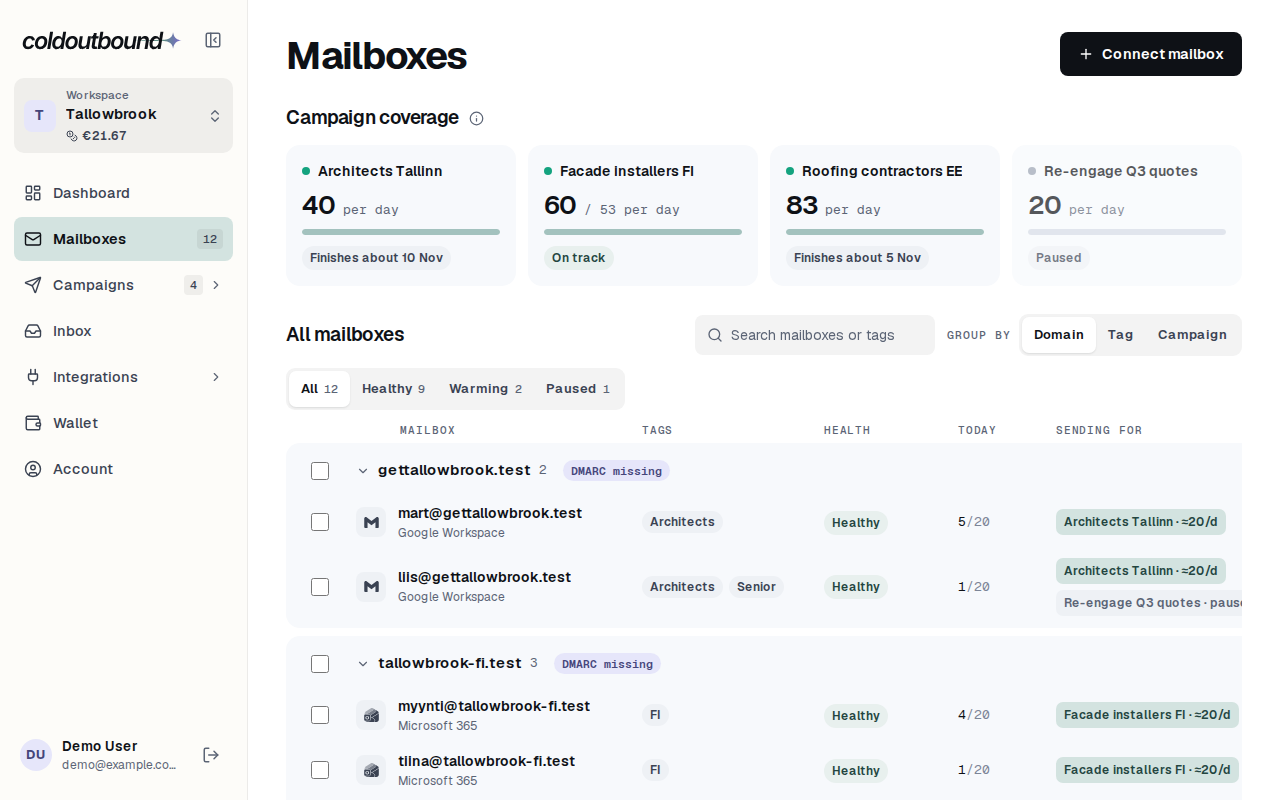
Some things then run without you. Coldoutbound checks for replies every 2 minutes on mailboxes that are sending, and less often on the others. It checks your domain's public settings and shows what to fix on the mailbox's page. It also pauses a mailbox when too many emails bounce or get refused, and tells you why.
What you can change
- The limit, hours and days of any mailbox, such as sending at weekends or in another time zone. Raise the limit only if the mailbox has been sending this kind of volume for months.
- Tags, such as "Sweden" or "Senior". A campaign can then send from every mailbox with that tag, including ones you add later.
- Several at once. Tick a few mailboxes to tag them, pause them or set their daily limit together.
A campaign can also send more slowly than its mailboxes, but never faster.
What it doesn't do
Coldoutbound doesn't provide mailboxes or domains, so you need your own. It doesn't have a warm-up network that trades emails between mailboxes. Personal Outlook.com and Hotmail addresses aren't supported yet.
Read more: Google's Workspace sending limits, Gmail's personal sending limits, Microsoft's Exchange Online limits.
Questions
Is my password safe?
Mailbox passwords are stored encrypted. Gmail uses an app password, which you can cancel at any time without changing your real one. Microsoft 365 uses Microsoft's own sign-in, so we never see a password.
Can one mailbox send for several campaigns?
Yes. Its daily limit covers all its campaigns together, so adding a campaign doesn't raise what it sends.
What happens if I change my password?
The mailbox shows "Can't connect" until you update it. Google cancels app passwords when you change your Google password, so create a new one.
Can I connect a personal Outlook.com or Hotmail address?
Not yet. Microsoft 365 work mailboxes connect with Microsoft sign-in, but personal accounts aren't supported.